Kwizillo for schools

The whole class plays and learns.

Every child plays Kwizillo on their own Chromebook, with their own progress. You see what each child already knows, and with the class quiz the whole class plays together with the questions on the interactive whiteboard.

  • Data stays in the Netherlands
  • No ads, no tracking
  • Only a first name and an initial
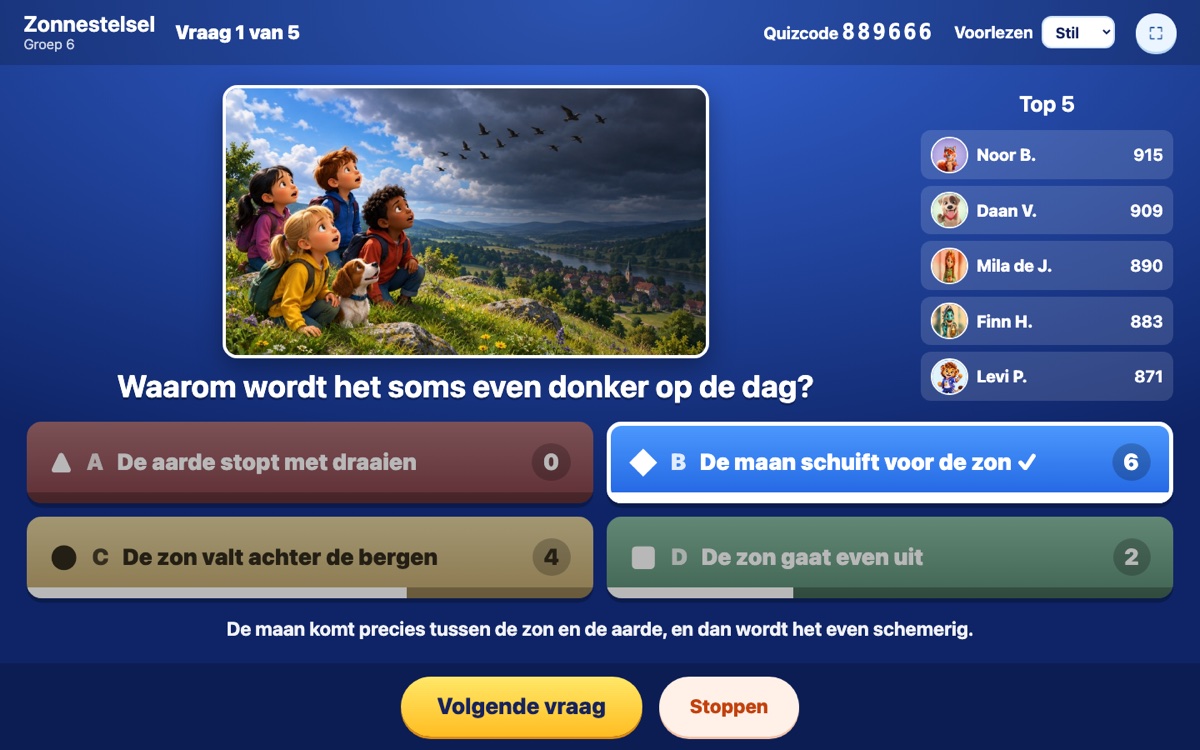
The class quiz on the whiteboard: the question with its picture, the right answer, how many children chose each answer and the top 5
How it works

Logging in without e-mail or password

Children play in the browser at school.kwizillo.nl: on a Chromebook, a laptop or an iPad. Nothing needs to be installed. The teacher portal is in Dutch for now; the game itself speaks all eleven languages of Kwizillo.

1

You set up the class

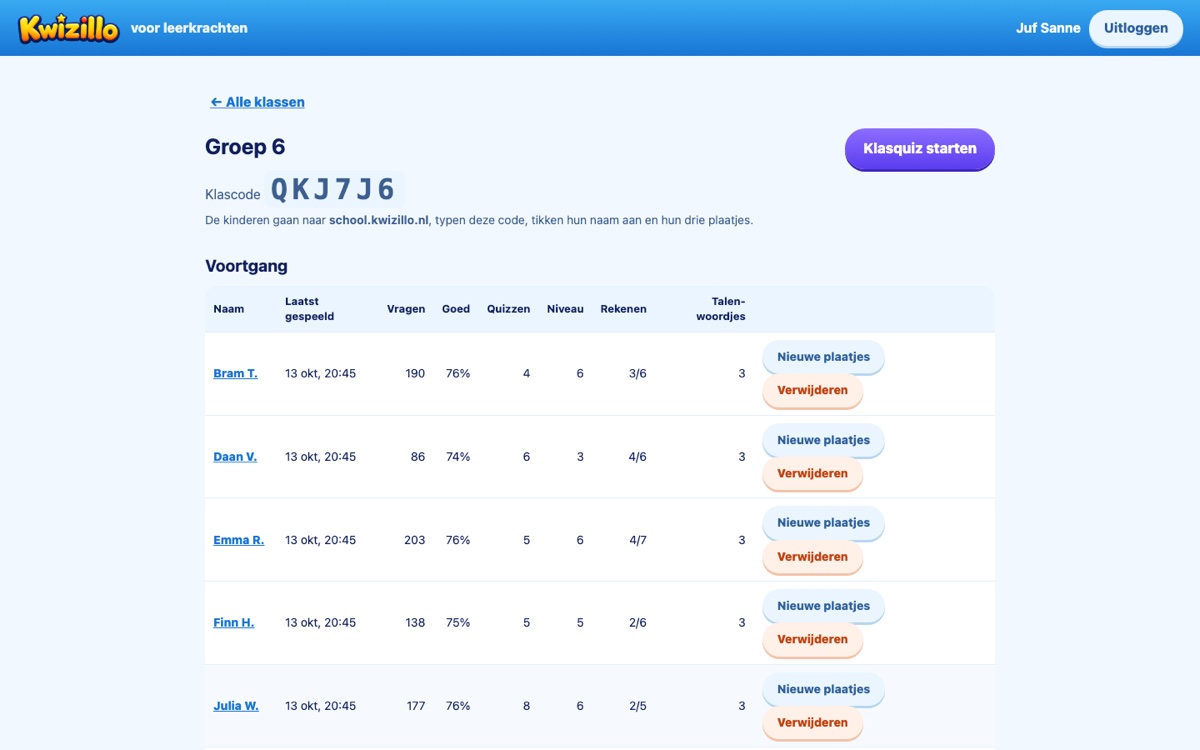
In the teacher portal you make a class and add the names: a first name and the initial of the surname is enough. Every child gets a login card to print.

2

The child logs in

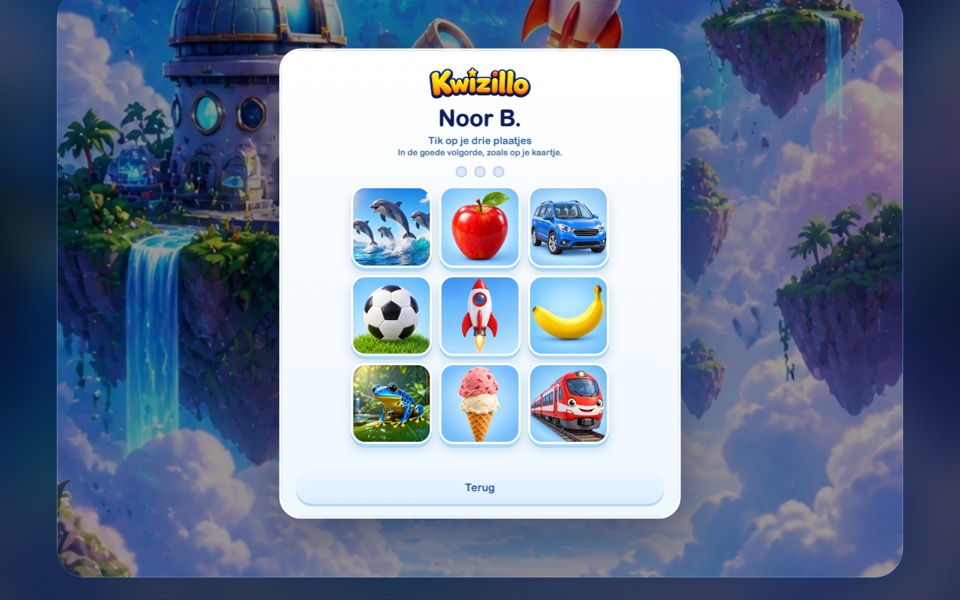
Type the class code, tap your name and your three pictures in the right order. Children who cannot read well yet manage it too. After a few wrong tries it waits a moment.

3

Playing with their own progress

All worlds, games, Languages and Maths are open. The progress lives on the server, so a child carries on where they were on any Chromebook. Done? Log out, and the next one can play.

Logging in on the Chromebook: tap your three pictures
Logging in with three pictures, as on the card.
The class page in the teacher portal with the class code, the button to start a class quiz and the progress per child
The class: the class code, the progress per child and the button for the class quiz.
New

Class quiz: the whole class at once

You put the questions on the whiteboard, the children answer on their own Chromebook. Milo or Luna reads aloud, and after every question you see at once what the class knows.

Choose what the class will do

  • A topic or a whole world, the Mega Quiz with questions from every world, a theme from Languages or a level of Maths.
  • 5 to 20 questions, and 10, 20 or 30 seconds per question.
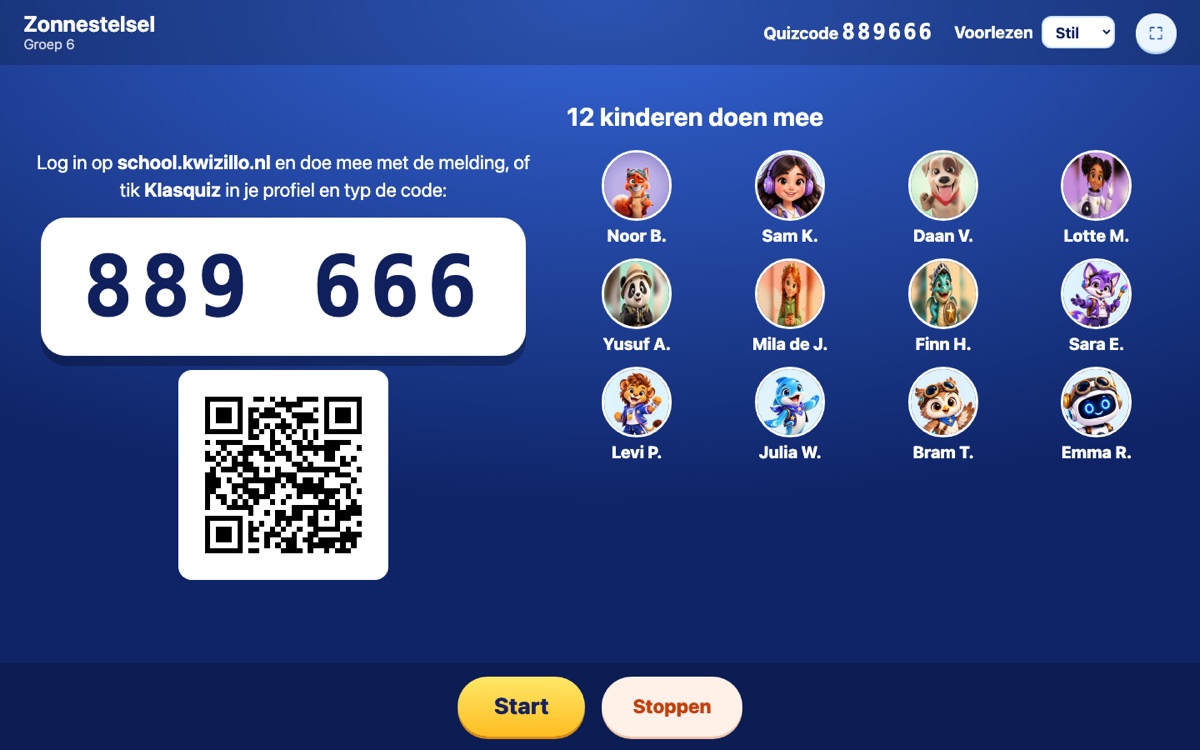
  • The whiteboard shows a six-digit quiz code and a QR code. Children in your class get a Join in! message by themselves.
  • The mascot each child chose in the game appears in the waiting room.
The class quiz waiting room: the quiz code, a QR code and the mascots of the twelve children taking part

The question on the board, four colours on the Chromebook

  • On the board: the picture, the question, the four answers and the clock. Milo or Luna reads the question and the answers A to D aloud.
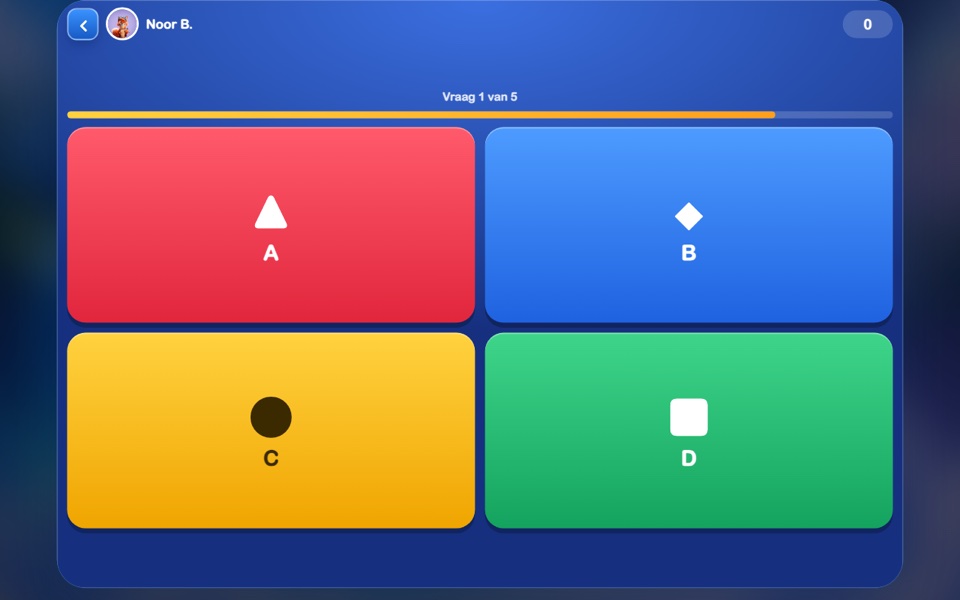
  • On the Chromebook: four big coloured buttons with a shape, so colour-blind children can play too.
  • Right and quick earns more points, and a run of right answers earns a bonus.
  • Pause stops the clock, Show the answer ends the wait.
A child's Chromebook: four big buttons in red, blue, yellow and green with a triangle, diamond, circle and square

See at once what the class knows

  • After every question: the right answer, how many children chose each answer, the explanation and the top 5.
  • A child sees Well done! with their points, or Almost!. Never a red error.
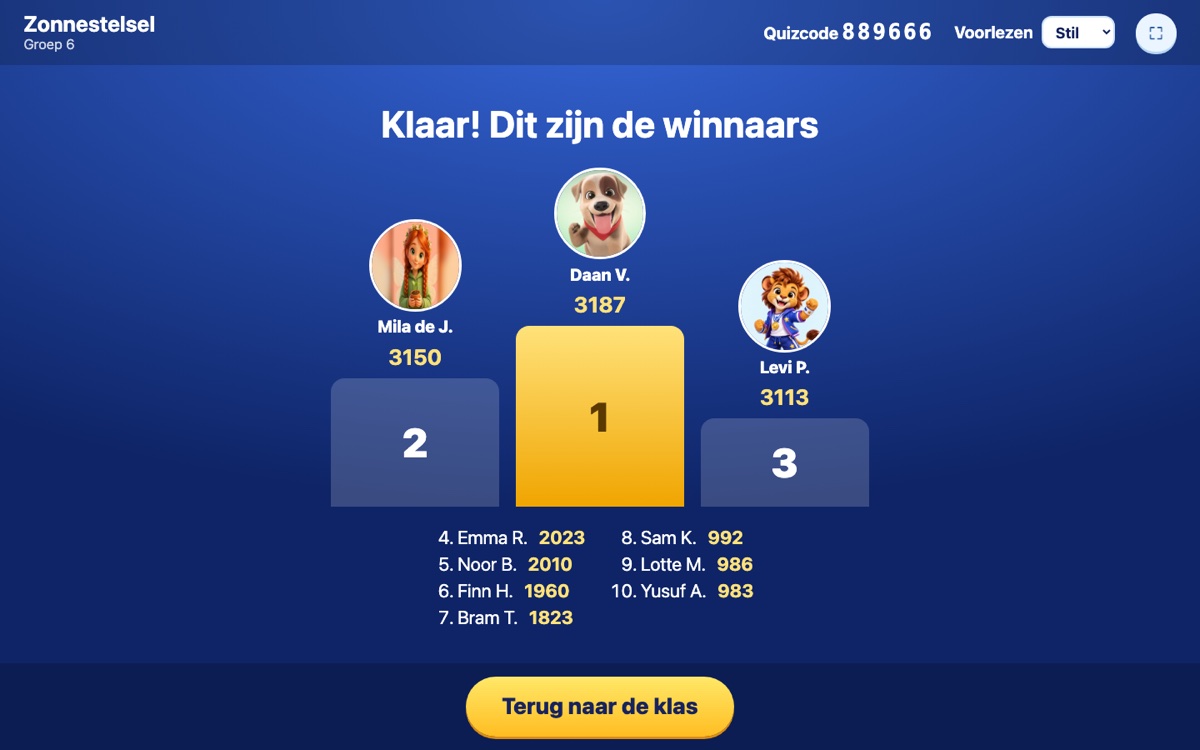
  • At the end a podium with the top 3 and the rest of the top 10.
  • A child only gets the colours; the right answer only leaves the server after the question. Peeking on the Chromebook is not possible.
The podium at the end of the class quiz with the top 3 and places 4 to 10
For teachers

See how it goes, per child and per question

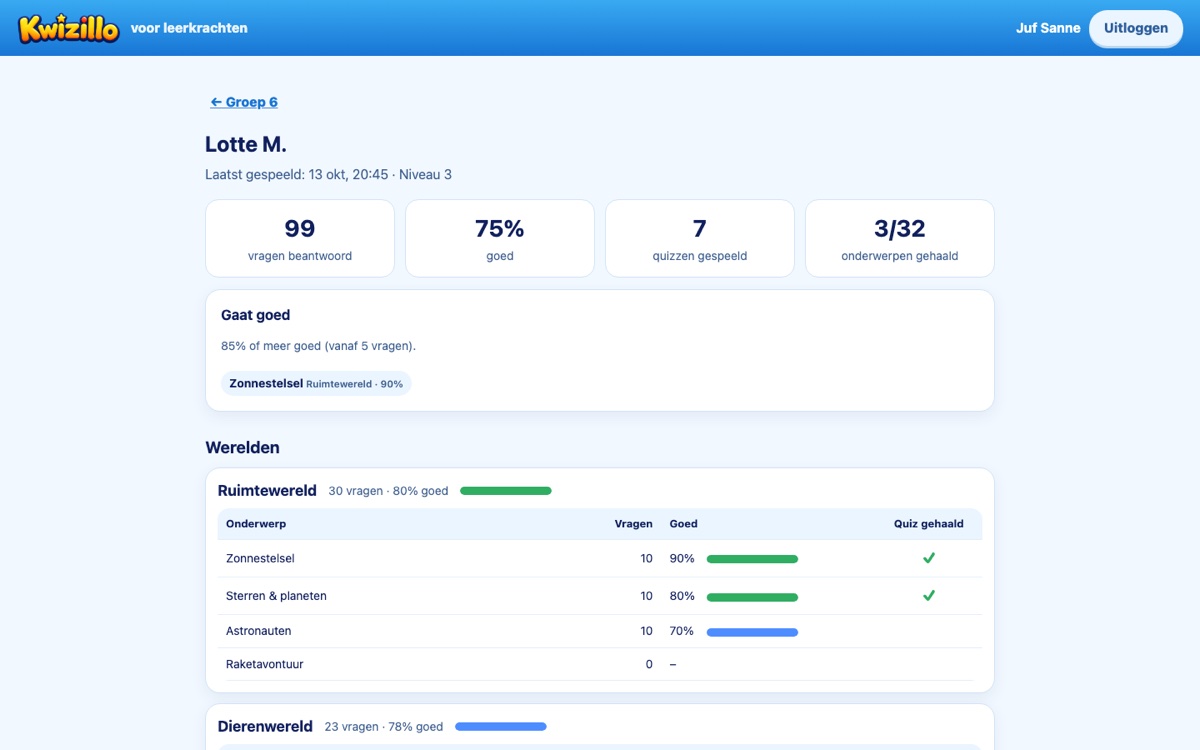
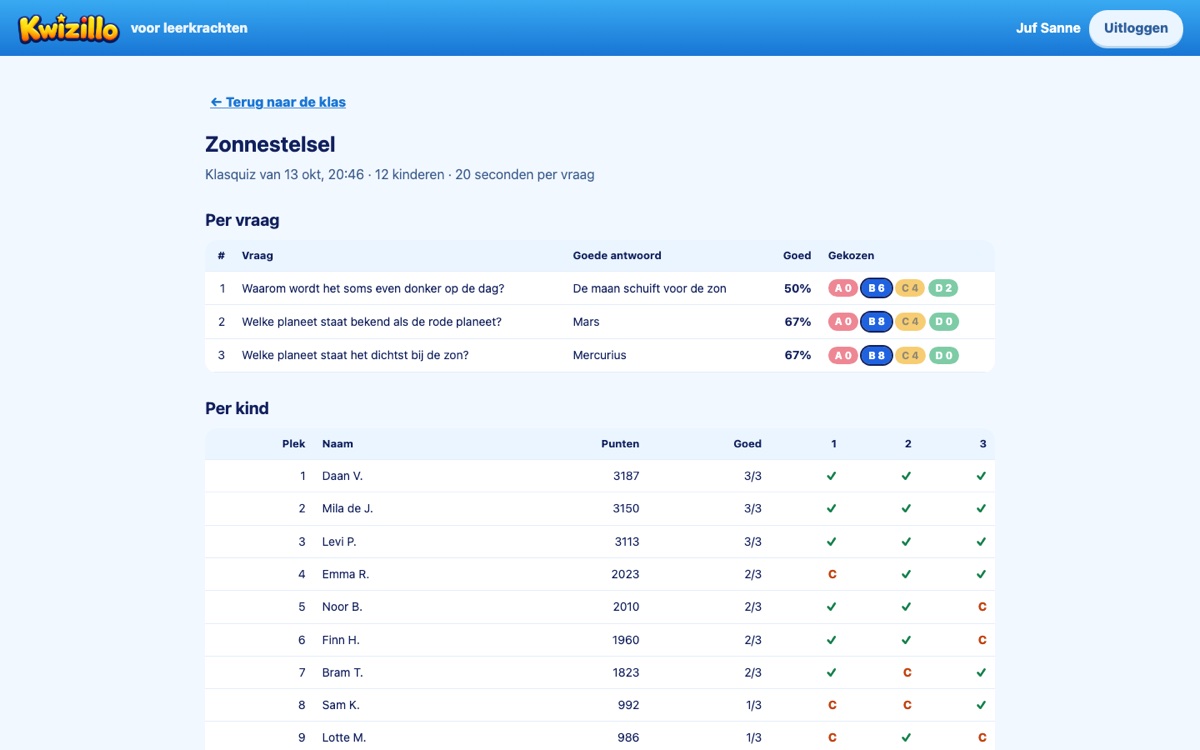
In the teacher portal you see what each child plays and where they still need practice. After a class quiz you see per question what share of the class got it right.

The page of one child: questions, percentage right, quizzes, topics passed and the progress per world and topic
One child: per world and topic, what goes well and what needs practice, Maths and Languages.
The result of a class quiz: per question the right answer and the percentage right, and per child the points
After a class quiz: per question the right answer, the percentage right and what was chosen, and per child the points.
Privacy and GDPR

As little data as possible, in the Netherlands

👤

Only what is needed

Per child a display name (first name and initial), the class, an encrypted picture code and the game progress. No e-mail, date of birth, national ID number or photos.

🇳🇱

On our own server

Everything lives on a server in the Netherlands and only travels over HTTPS. No ads, no analytics, no data to third parties. A child's name never goes to the speech service.

🗑️

You stay in control

You delete a child with everything that belongs to them in one go. When the licence ends, all of the school's data is erased after three months.

📝

Data processing agreement

The school is the controller, Kwizillo the processor. Before the children start, we sign a data processing agreement based on the model of the Dutch education privacy covenant (Privacyconvenant Onderwijs).

Price

One licence for the school

€37 per pupil per year

All worlds, games, Languages, Maths and the class quiz, for every pupil with a seat in the licence. Teacher accounts are included. No ads and no real-money purchases.

We are starting with a one-month pilot this school year, free of charge. Would you like to join? Mail us and we will set up your school.

Mail stefan@kwizillo.com

Frequently asked questions

Which devices does it work on?

In any modern browser: Chromebooks, laptops, computers and iPads. Nothing needs to be installed: go to school.kwizillo.nl.

What if a child forgets their pictures?

In the portal you make new pictures with one click and print a new card. The old code stops working, the progress stays.

Do the children need headphones?

For the game itself they help: Milo or Luna reads everything aloud. In the class quiz the whiteboard reads aloud, so no headphones are needed there.

Can children from another class join a class quiz?

Yes, if they are logged in at the same school: they type the quiz code from the board, or scan the QR code. The result is kept with the class that started the quiz.

Is it the same game as the app?

Yes. It is the same Kwizillo with the same worlds and games, only with its own login and the progress on the server instead of on the device.

More about privacy: the privacy policy. Questions? stefan@kwizillo.com